
Design System for the University (Beta)
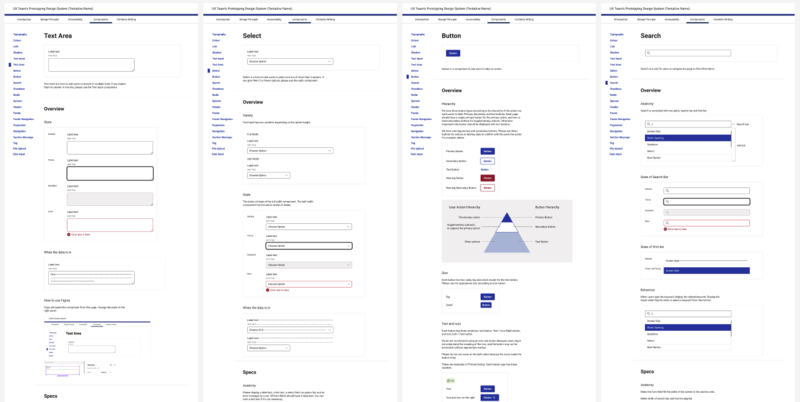
The UX Centre of Excellence is creating a design system to improve the quality and consistency of our digital products, and make it easier to create prototypes - early models of websites or applications - throughout the development process.
Get Access
The design system and interactive prototype examples are available on Figma, Miro and PowerPoint to all University staff and students:
Apply for the design system access
What is the Design System?
The design system is a collection of user interface components and guidelines to help teams prototype more easily and drive consistency across the University's digital services. The system will also facilitate learning from other teams' prototypes and
user research to avoid reinventing the wheel. Let's improve the design system together by reflecting on your project's learning in the components and guidelines.
Where did it come from?
In 2022 and 2023, two external User Experience (UX) consultancies assessed UX maturity across the University of Oxford. Their findings highlighted limited use of prototyping as a key area for improvement and recommended developing a design system to address
this gap.
Concepts
The current version is beta for the UX team to gather feedback and improve. The beta version is based on the following concepts.
- Keep it minimal for ease of use and maintenance
Aim to cover a wide range of use cases using a minimal set of components to simplify use and maintenance - Align visual and code for accessibility
Ensure close alignment between visual design and code to promote accessibility with minimal effort - Design a system as a platform to share the best practices
Space to add accessibility and user test results
Who is it for?
The Design System aims to enable better UX by improving communication and prototyping within project teams.
The design system is used by:
- Business Analyst - To define functionality and work flows and clarify requirements, by prototyping ideas
- Quality Assurance - To provide design assurance at the earliest opportunity in product development
- Developers - To understand the requirement easily and reduce the development efforts
The design system benefits:
- Stakeholders - To engage more meaningfully at an earlier stage in projects
- Project teams - to have common points of reference to enable more. effective collaboration
- General Users - To have better UX and accessibility
How to use it?
- Apply for your access to the design system
- Build a prototype with the design system
- Review the prototype
- Conduct a user test with the prototype
- Improve the prototype based on the feedback
- Iterate until your team reaches an agreement
- If you find any recommendations to update the design system, report it to the UX Team
If you would like help on how to use the Design System effectively in your project, the UX team would be happy to assist:
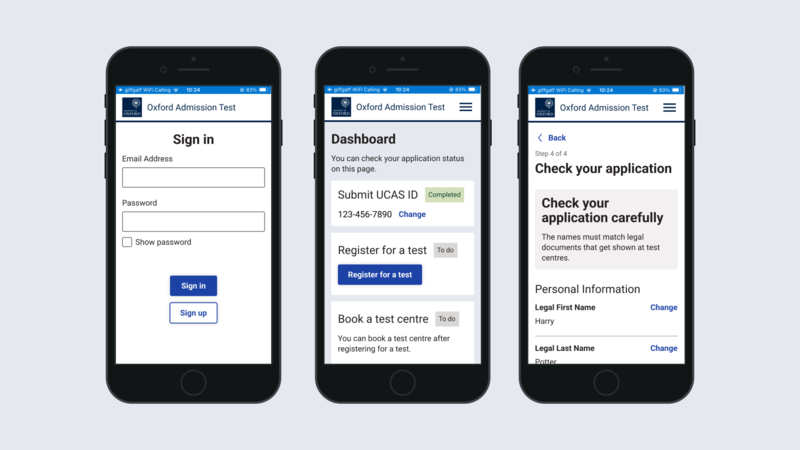
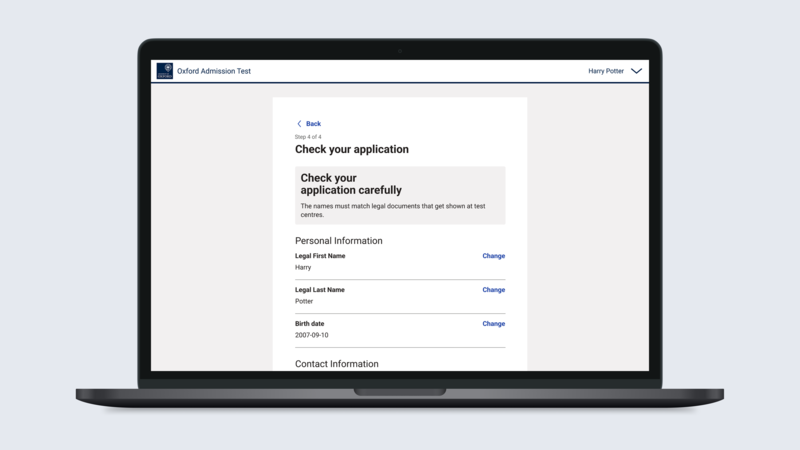
Examples of Prototypes created with the Design System
Road Map
In collaboration with other teams, the UX Team is working on the following items to make the design system truly useful for digital service delivery teams.
- Creating the design system Miro version
- Prototyping a governance process for the design system
- Experimenting with connecting the design system with code with the Software Solution Team
- Incorporating prototyping in the project delivery process with the Business Analyst Team and the Quality Assurance Team
- Aligning the UX Team's design system with other Internal platforms, such as Fresco and OxIntranet, with the Campaigns and Digital Communications Team in the Public Affairs Directorate.

